Introducing Datavault Builder Version 9 AI
Datavault Builder Version 9 AI brings AI into data warehouse automation with Vault-E, the built-in AI assistant, and an integrated MCP server for agentic development, alongside a fully redesigned interface: the speed of AI with full control.
Datavault Builder Version 9 AI
The principle behind the new version, available as Release Candidate (RC1), is simple: you get the speed of AI without giving up governance, lineage, and control.
You design and build with AI support, and you review and approve every step. Datavault Builder takes care of the rest: it automatically generates the declarative code and processes, governed, versioned, and maintainable by design.
The trade-off Version 9 AI removes
AI can generate data pipelines fast. The catch is usually what comes with that speed:
- You have to review code you haven’t written yourself in order to trust it.
- You have to optimize it down to what is necessary if you don’t want to trigger unnecessary compute or burn tokens.
- The bottleneck shifts from development to testing.
But the real risk is governance: you might expose data or IP to a model you would rather not.
Version 9 AI is designed to remove that trade-off. AI-assisted or agentic workloads run through a governed, structured process, so the output stays:
- standardized, documented, and auditable
- under your control, and thus safe
You keep the speed of AI without a compliance problem to explain later.
What’s new at a glance
Version 9 AI groups around three ideas:
- Build faster with AI. Model and write business rules in natural language, with Vault-E generating governed code.
- Keep control with built-in governance. Column-level lineage, automated documentation, and user management, applied to ontology-driven, model-driven, and AI-generated code alike.
- Make data accessible to the business. In-platform charts, Excel export, and shareable views, so data reaches business users sooner, and you get feedback sooner.
On top of these, Version 9 AI ships a redesigned, more accessible interface and new enterprise security certifications.
“We built Datavault Builder Version 9 AI so data teams can let AI handle the repetitive work and still build fully governed code, while reliable data reaches the business faster, in a new interface built for everyone, not just the data team.”
 Petr BelesCo-Founder
Build faster with AI
Vault-E, the built-in AI assistant, opens from the Datavault Builder logo in the top left as a chat window and works directly with you on your development tasks.
- Model in natural language. Describe what you need, and Vault-E generates the data model with the LLM of your choice.
- Write business rules in natural language instead of hand-coding the logic.
- Get AI-driven data quality checks and recommendations, with automated pipeline generation.
- Check data governance consistency and GDPR requirements across the entire data warehouse.
- Build on a semantic layer, so AI use cases start from well-structured, well-described data with the business ontology and definitions to make AI outputs reliable.
For agentic development, the MCP server lets you connect agents and AI applications, and it can be used independently of the interface.
Whatever the AI produces is governed and reproducible by design: configuration happens through the LLM, while the output stays standardized and auditable.
Keep control with built-in governance
Speed only helps if you can still trust and audit what was built. Governance is built into Version 9 AI.
- Column-level data lineage, down to the individual column rather than just the table, showing logical dependencies.
- Automated documentation that is generated as you build, including a standard GDPR report and export.
- AI-powered data quality marts that catch issues before they reach the data consumer and empower your data stewards.
- User management with Keycloak, with Vault-E acting only within the logged-in user’s permissions.
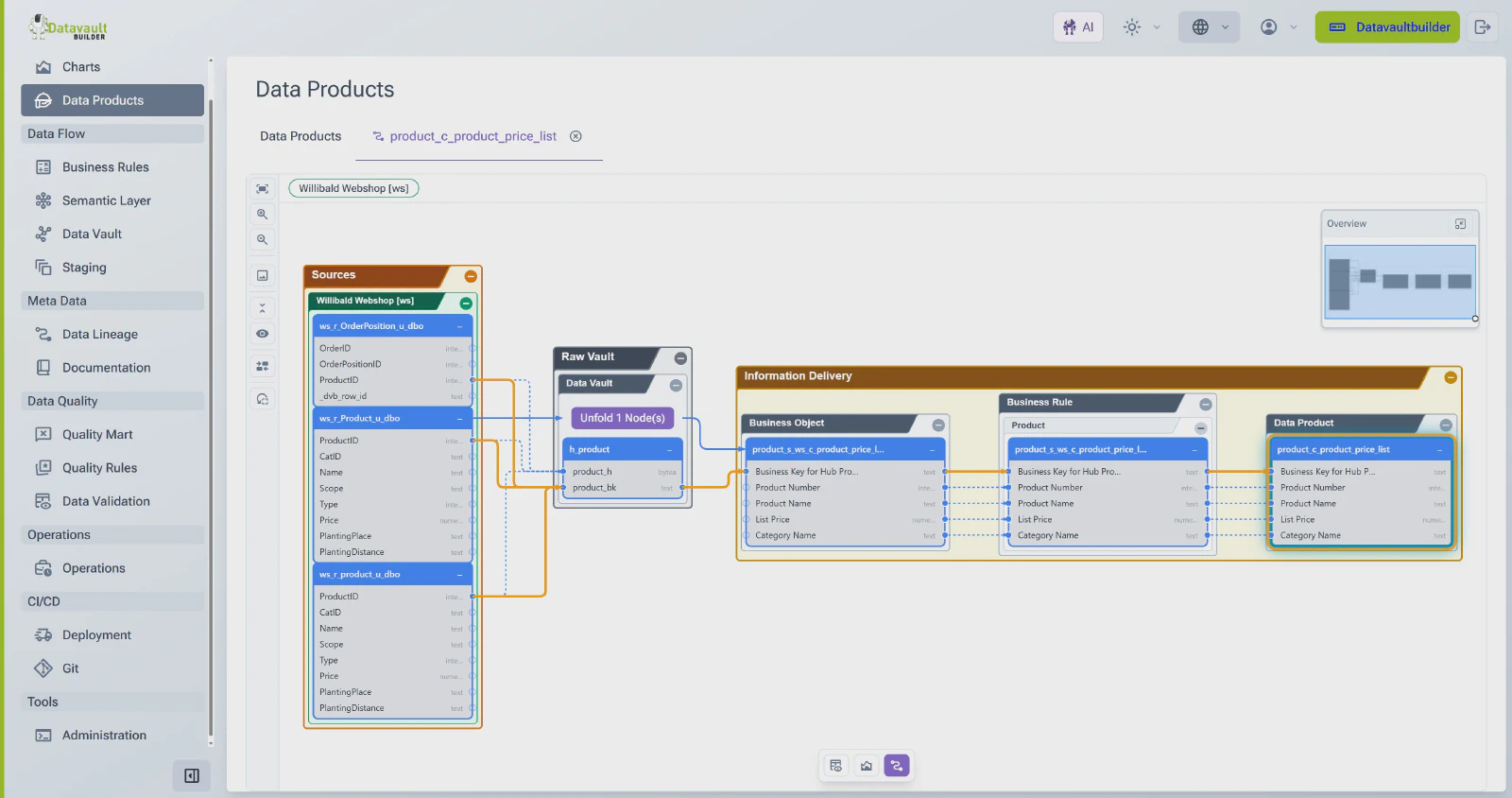
Your data stays with you. Only metadata is sent to the LLM, never the integrated and sensitive data, and neither Datavault Builder nor Vault-E trains models on your data.
You also choose the model: Vault-E works with provider-hosted or self-hosted LLMs, including fully local setups, so you decide what runs where.
Make data accessible to the business
Version 9 AI makes it easier to get reliable data in front of business users, without waiting on a BI team.
- Charting directly in the platform.
- Export to Excel, and send data and charts as PNG or Excel.
- Shareable data views: share a table, model, or chart view by URL, including the exact view with the filters that were set.
- An improved data profiling module with drill-downs that can be shared with business users.
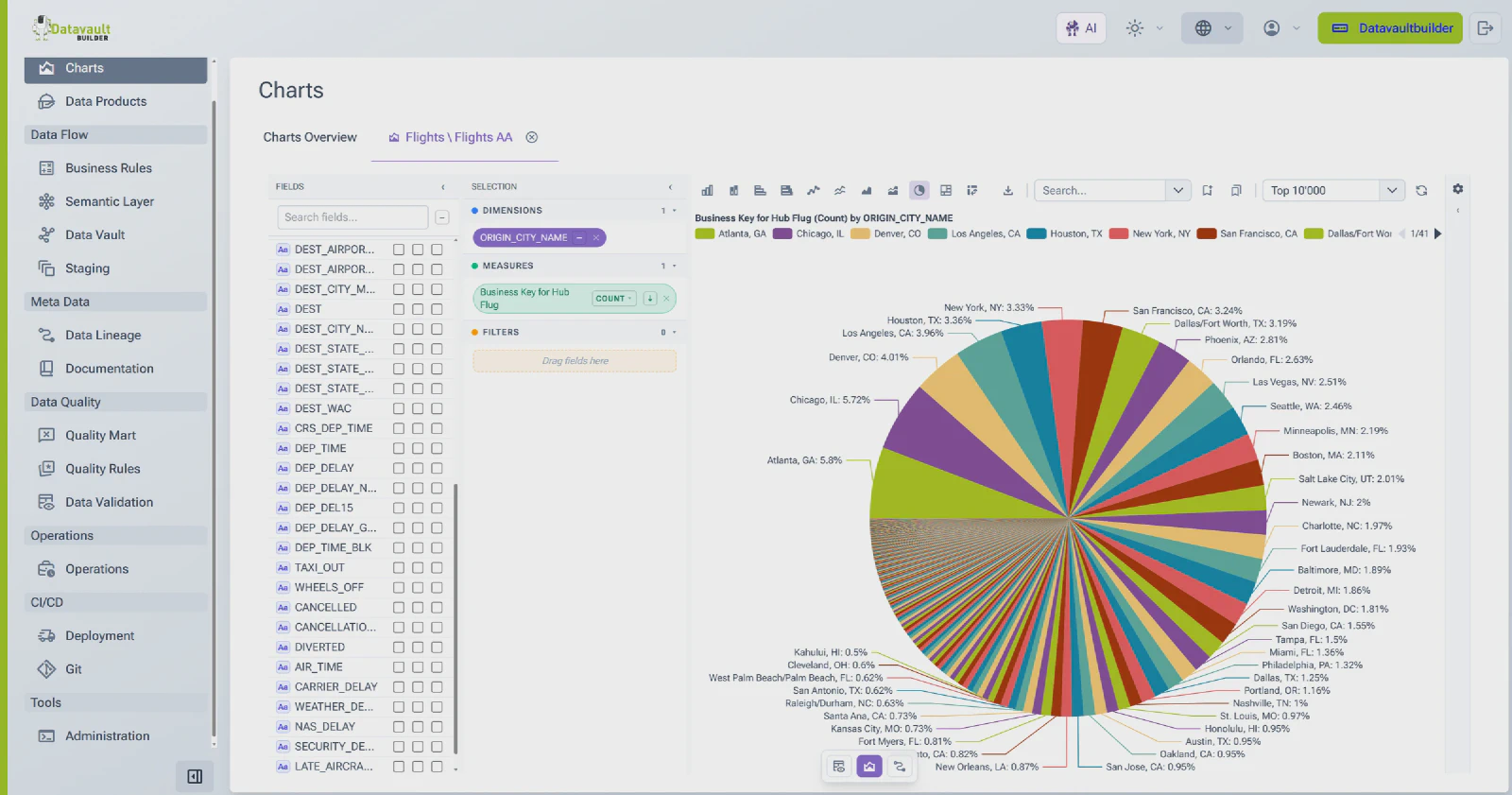
The result is a faster feedback loop. Business users see the data earlier in development and can give feedback sooner, built into the process rather than bolted on at the end.
A redesigned, more accessible interface
The interface is fully redesigned for a more consistent and intuitive daily workflow.
- Git integration is easier to find and built into the workflow.
- New model visualizations are faster and more precise for large models with 30,000+ elements, plus simplified conceptual views for new models.
- A table-based operations module and clearer job and load logs give better visibility into runs.
- Documentation exports support large data models with 30,000+ objects.
Accessibility is part of the release:
- keyboard navigation
- WCAG compliance
- high-contrast themes
- light and dark modes
The interface and documentation are available in English and German, with other languages on request.
Enterprise security and identity
Version 9 AI broadens enterprise security credentials and identity support.
- ISO 27001 certified and SOC 2 Type 2 compliant.
- Extended identity provider support through OpenID Connect, covering Entra, Okta, Ping, and others.
- User management with Keycloak.
Availability and migration
Version 9 AI is now available as RC1. New proof-of-concept and pilot projects, new customers, and new partners start directly on the new interface.
New to Datavault Builder? See Version 9 AI live on November 18
The best way to experience Version 9 AI is to see it live. Join our webinar on November 18 at 16:00 CET with Co-Founder Petr Beles for a walkthrough of Datavault Builder Version 9 AI RC1, including:
- the new interface
- proven development with Vault-E
- designing a semantic layer
- delivering data to the business in Excel
- your questions answered
For existing customers and partners: upgrade webinar on November 23
For existing customers and partners, nothing breaks overnight. Migration runs on your own schedule over a twelve-month window, and the previous GUI is supported until December 31, 2027.
On November 23 at 16:00 CET, we are hosting a dedicated webinar for our customers and partners on what works differently in Version 9 and how to plan your upgrade.
See Datavault Builder in action
20-minute demo. Honest answers on whether it fits your team.
Book a Free Demo